Let the timer keep up
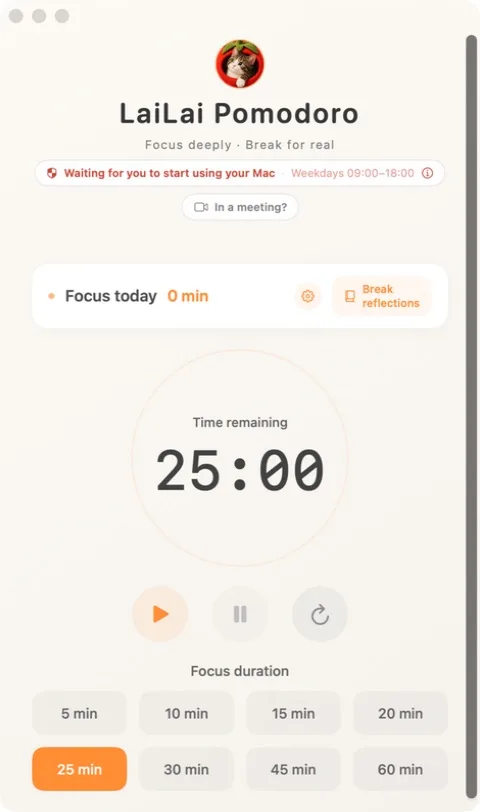
With Automatic Care enabled, sustained keyboard or mouse activity can start a cancellable focus session.
 LaiLai Pomodoro
FOCUS & REST FOR MAC
LaiLai is you, and Taotao is your cat. Together they keep pace with your focus timer and remind you when it is time to step away.
MADE FOR REAL MOMENTS
With Automatic Care enabled, sustained keyboard or mouse activity can start a cancellable focus session.
A full-screen reminder invites you to take a break. Meeting protection avoids interrupting a meeting with a new reminder.
See focus time and the current state in the app or menu bar, and leave a short reflection after a break.
KNOW WHAT YOU ARE GETTING
Automatic Care reads time since physical keyboard or mouse input, not keystrokes or window titles. Camera reminders are optional and processed on your Mac.
Read the privacy policy ↗QUESTIONS
Only when you enable Automatic Care. An automatic start can be cancelled, and a manual pause is not overridden.
No. Posture, distance and gaze reminders use the camera only if you turn them on.
A USEFUL FIRST STEP